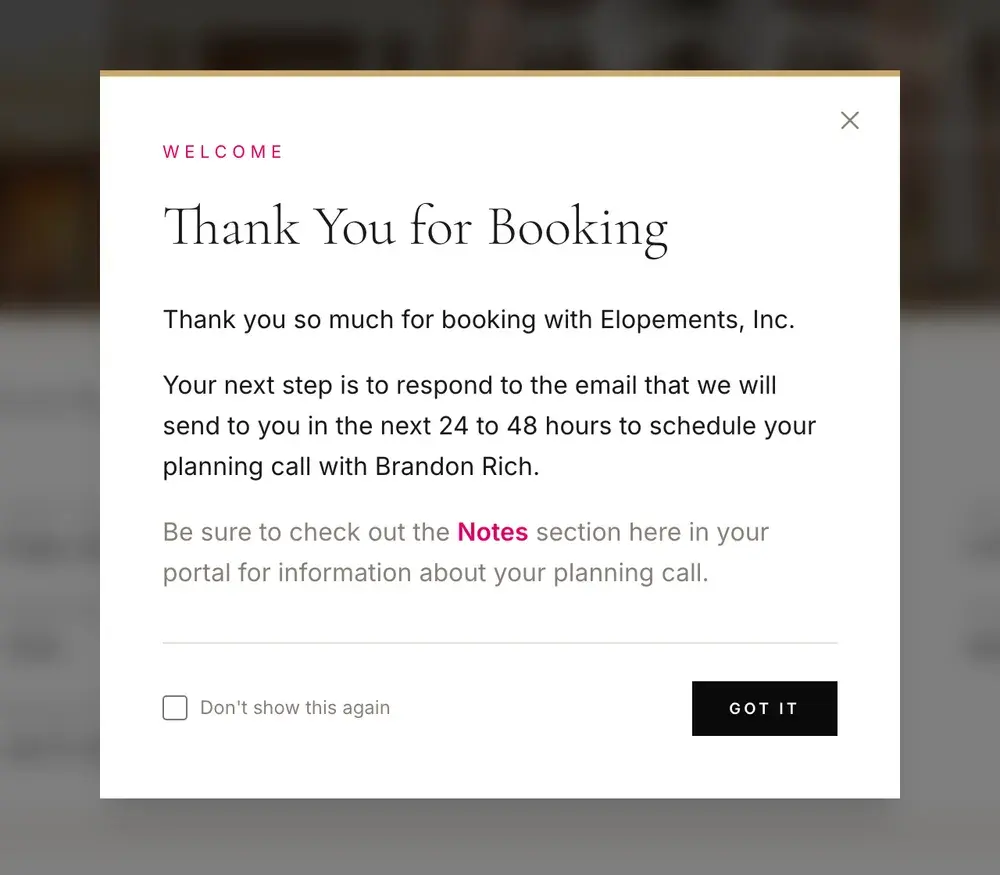
Booking is where the planning starts. Within 24 to 48 hours we email you to set up a call with Rev. Brandon Rich, and your private planning portal opens as soon as you sign up with the email address on your booking — your date, your venue, your payments and, after the day, your photos, all in one place.
What happens between booking and your ceremony, in the order it happens.
The email
Within 24 to 48 hours of booking you'll hear from us. Reply to it to schedule your planning call.
The planning call
Brandon walks the two of you through the ceremony, the day around it and your marriage license.
Your coordinator
From there your coordinator handles the venue, the permits, the officiant and the photographer.
The license
You apply together at the county — Charleston's is online. Your portal lists what to bring.
The day, then the photos
You show up. Michelle Blair edits every gallery herself, and yours appears in your portal.
The planning call
One call that turns a booking into a plan
Brandon began his seminary training and pastoral work more than 25 years ago and has officiated over 8,000 ceremonies since, seventeen of those years full time in weddings. There isn't much about an elopement day he hasn't seen, and he takes the planning calls himself.
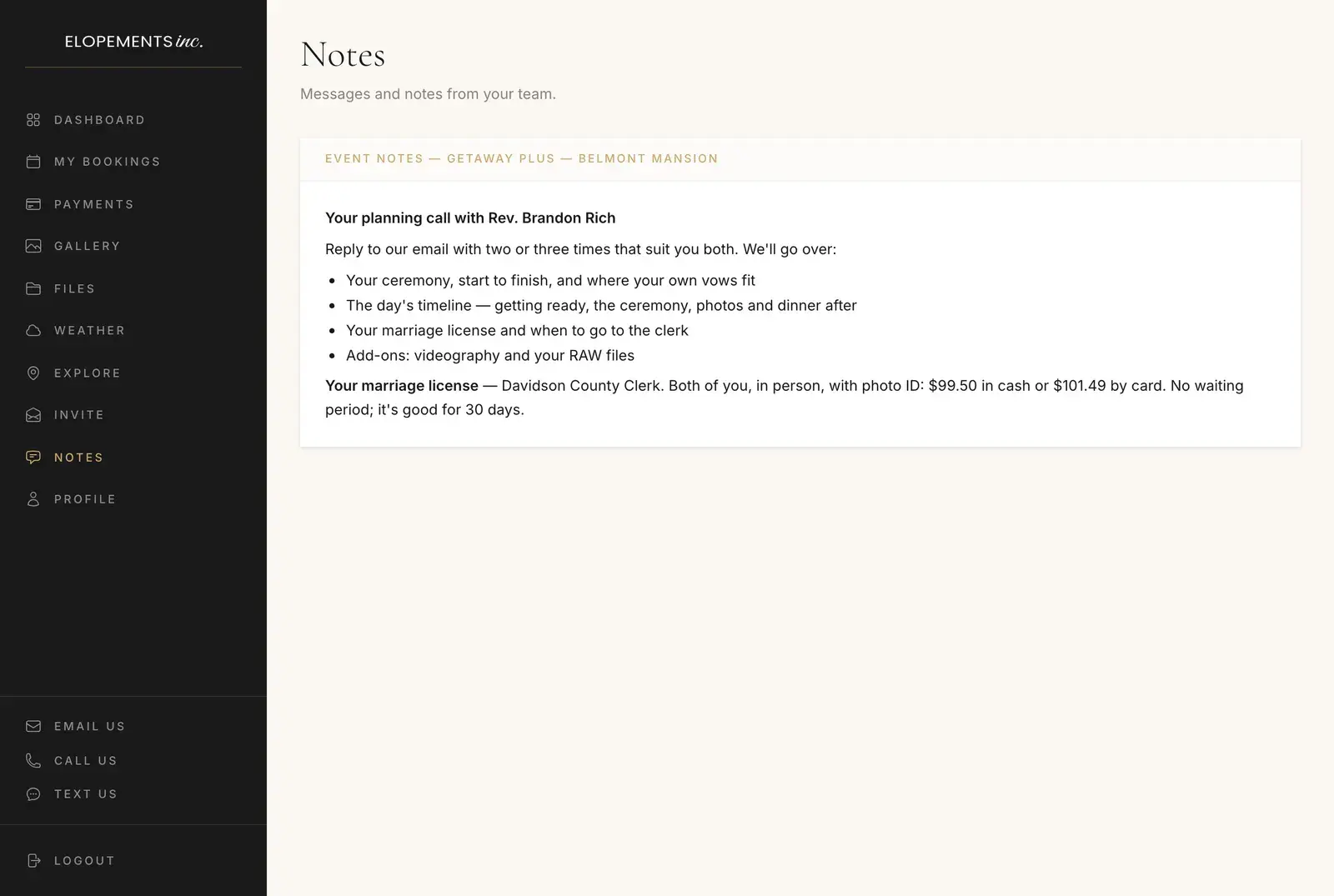
The email that sets up your call arrives within 24 to 48 hours of booking, and the Notes section of your portal holds what you need for it.
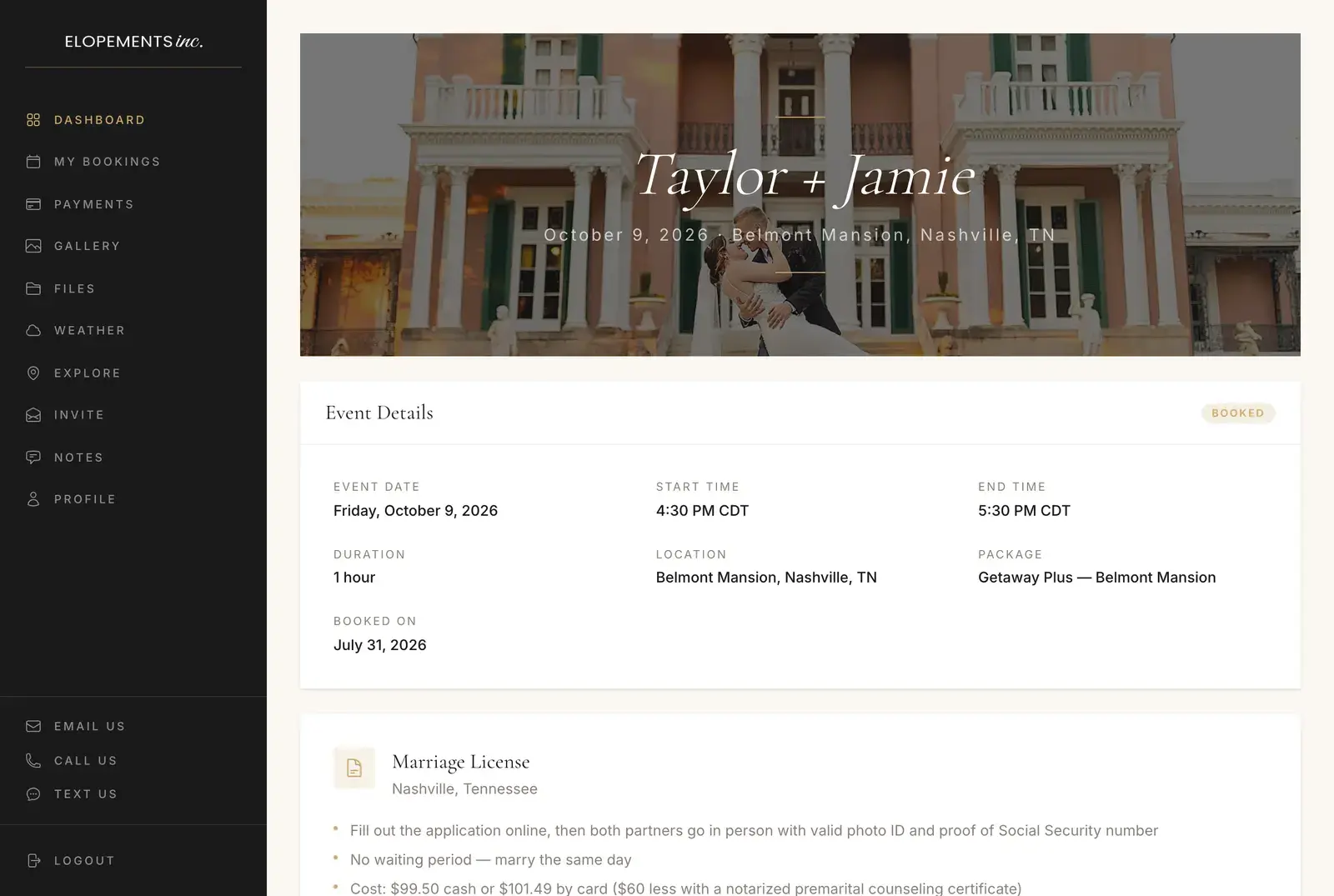
The first thing your planning portal shows you after booking.
01
Your ceremony
How it runs from start to finish, and where the vows you've written fit in.
02
The rest of the day
What happens before and after the ceremony, hour by hour — one of the questions couples ask most.
03
Your marriage license
When to apply for your date, what the county will ask for, and whether a premarital course lowers the fee — it does in Tennessee and Georgia.
04
Add-ons
Videography, on Getaway Plus and larger packages, and your RAW files. They're the only two extras we sell, and the call covers both.
05
Your venue's rules
Some venues limit amplified music, arches or confetti. You'll hear about them before you plan around them, not on the day.
Your planning portal
Everything about your day, behind one sign-in
Sign in at elopementsinc.com/portal with the email address on your booking. These are its ten sections, in the order you'll find them, shown with a sample couple.
01 Dashboard
Your day at a glance
Your names over a cover photo you choose — upload one, crop it to fit, change it whenever you like — with the date and the venue underneath. Below that:
Start and end time with the time zone, the length, the location, your package and the day you booked
Your marriage license: what to bring, the fee, the waiting period, witnesses and how long it's good for, with buttons to the county clerk (and, in Gatlinburg, the national park parking pass)
The weather, once your date is about two weeks out
What you've been invoiced, what you've paid and the balance due
Your gallery and your video, as soon as they're ready
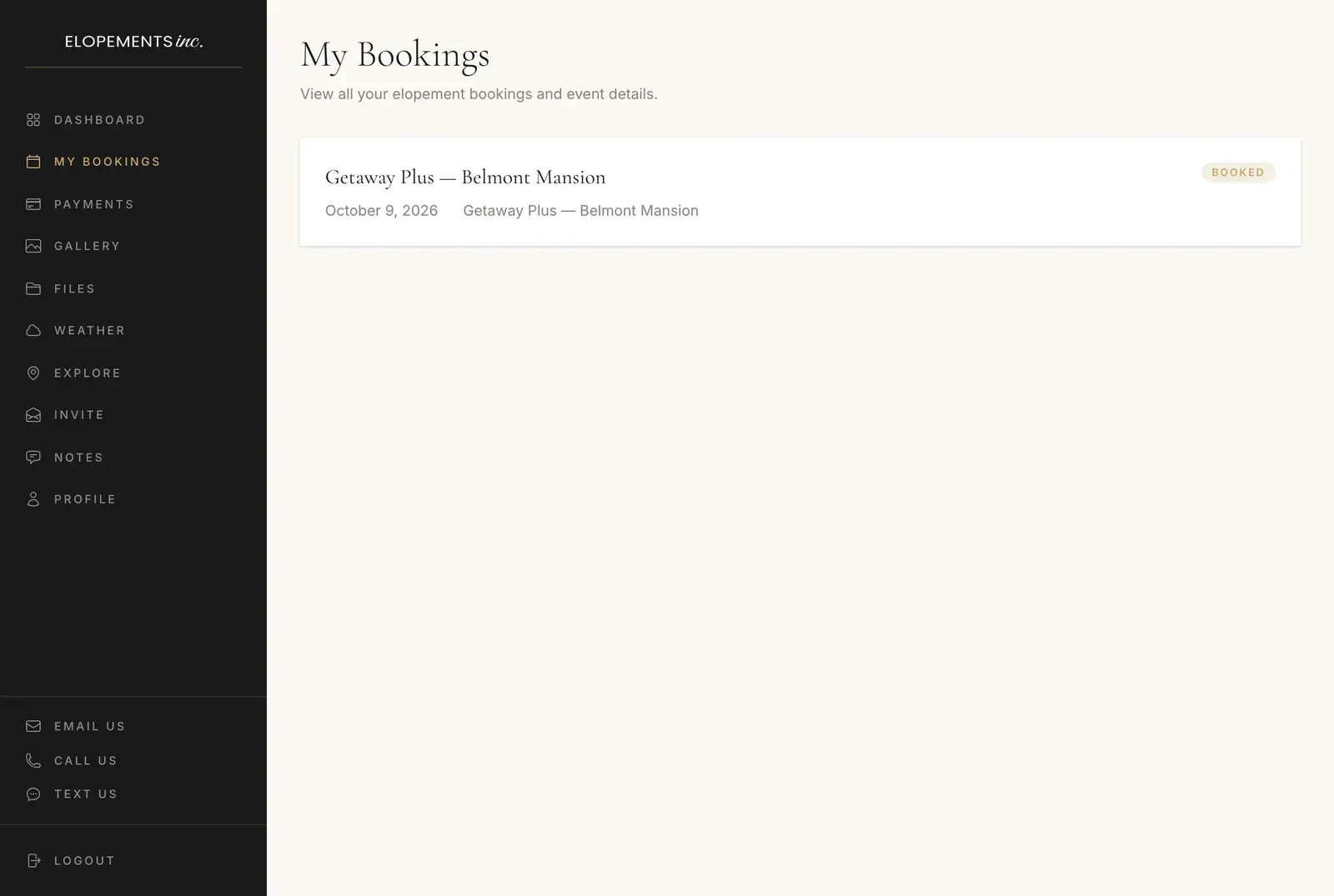
02 My Bookings
Every booking with us
Each one with its date, place, package and status. Open a booking for its full details and, inside the last two weeks, its forecast.
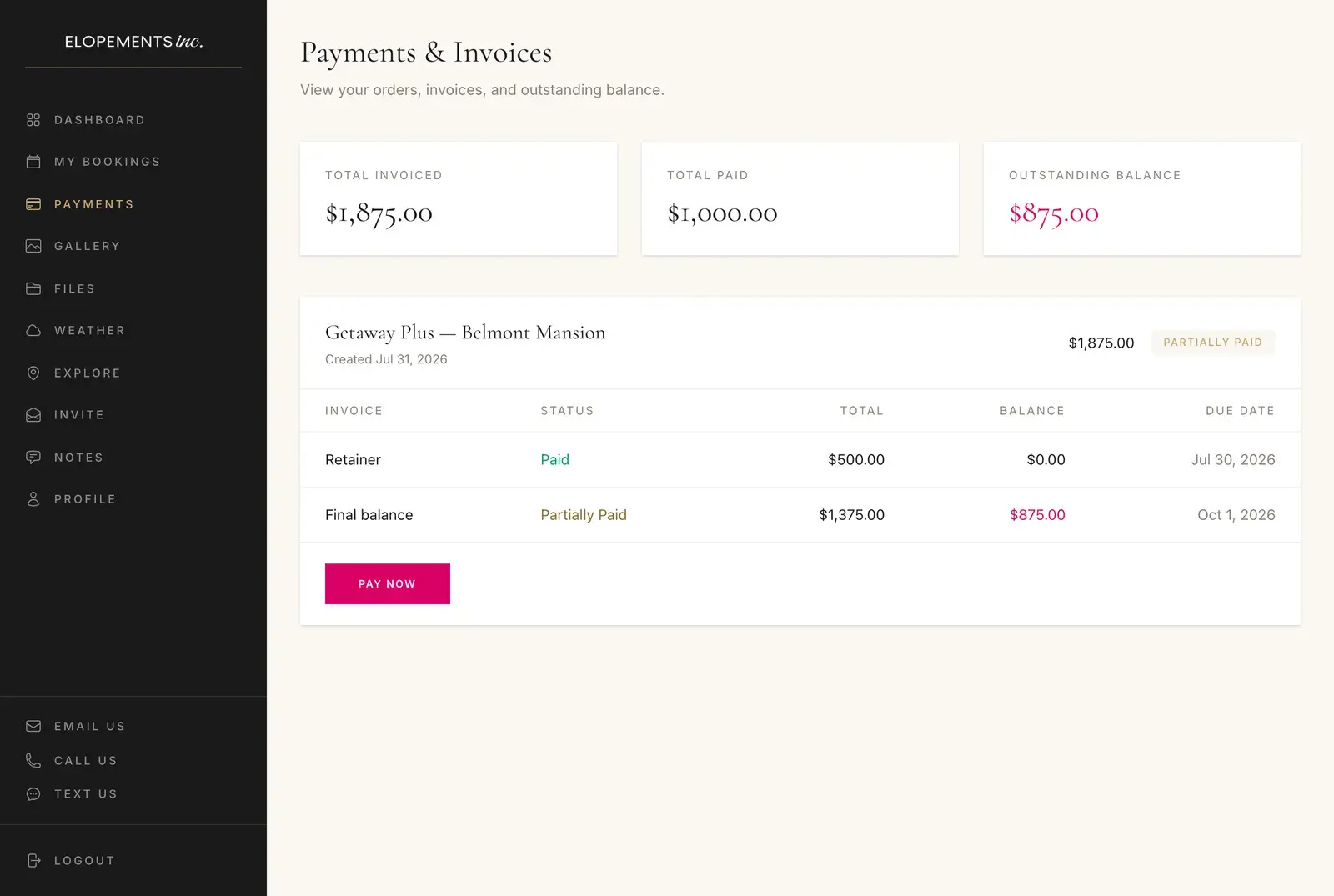
03 Payments
What's paid and what's left
Your total invoiced, total paid and outstanding balance, then every invoice with its status, total, balance and due date. Where an order still has a balance, Pay Now opens the secure payment page for it.
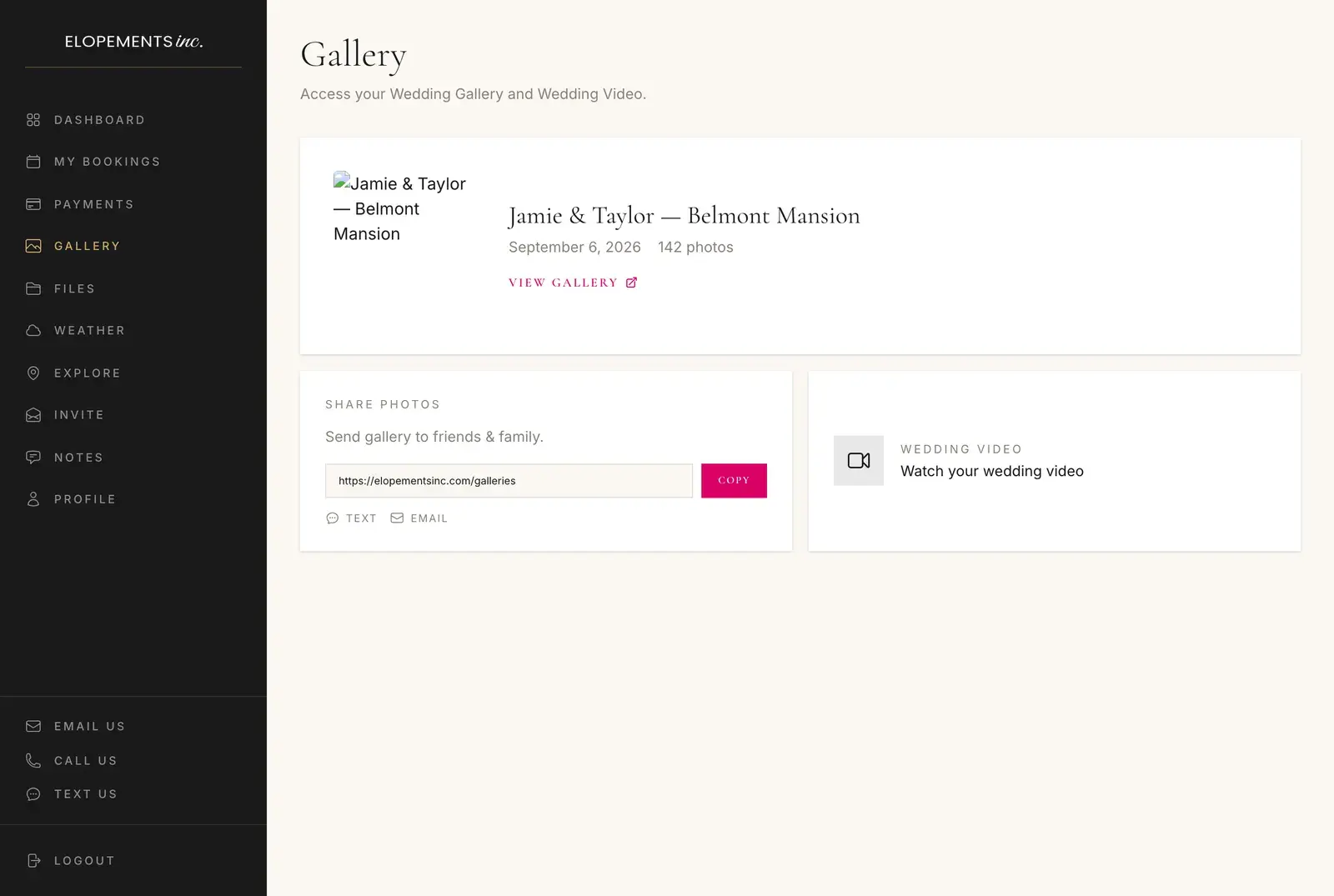
04 Gallery
Your photos and your video
Once Michelle has edited your photos, a button here opens your online gallery, where you can view them, download them and order prints. Copy the link, or send it to family by text or email from the same card. Your wedding video gets its own download page, every file in a single ZIP.
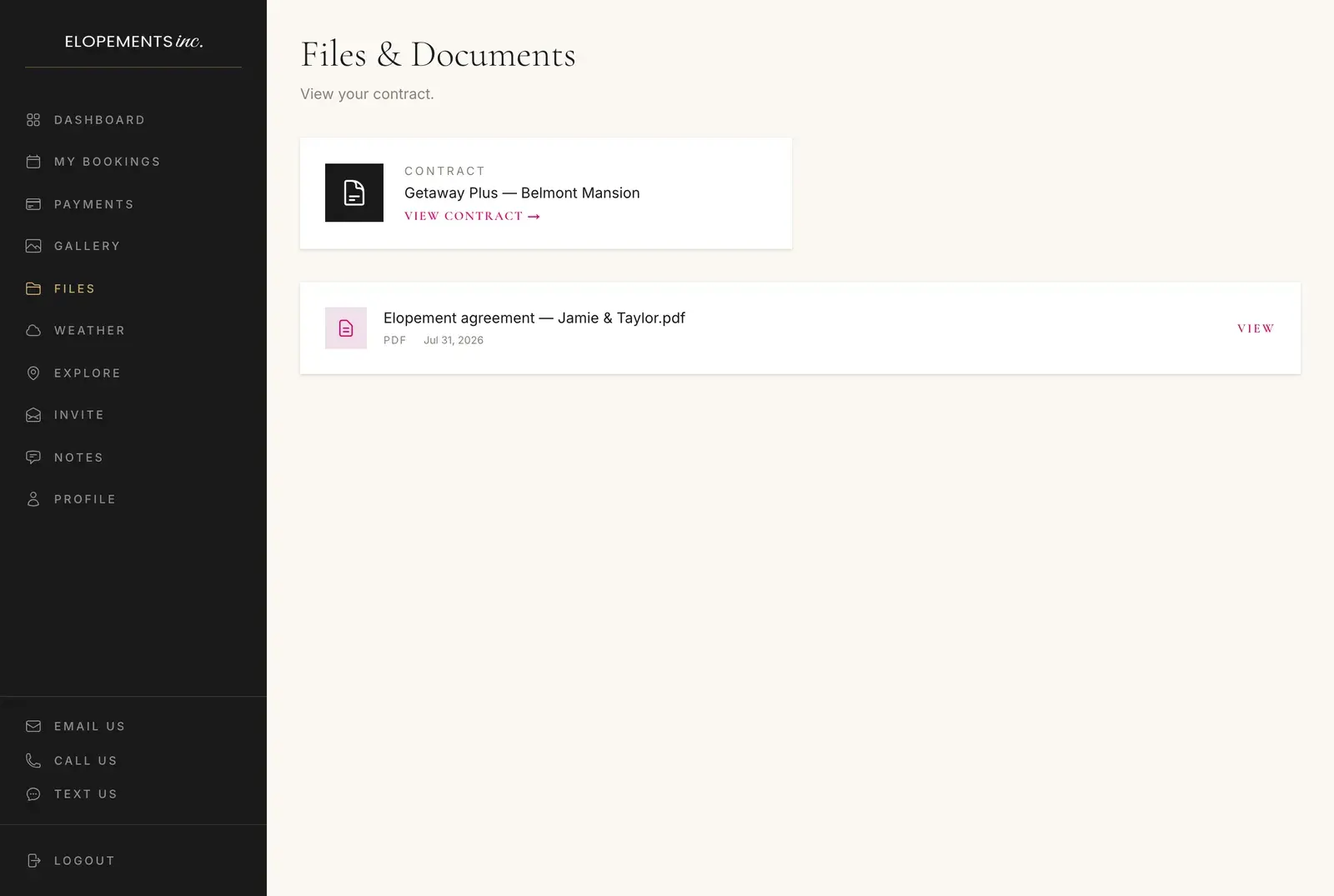
05 Files
Your contract and documents
Your contract — or your booking confirmation, until the contract is attached — and any document we share with you, ready to open whenever you need it.
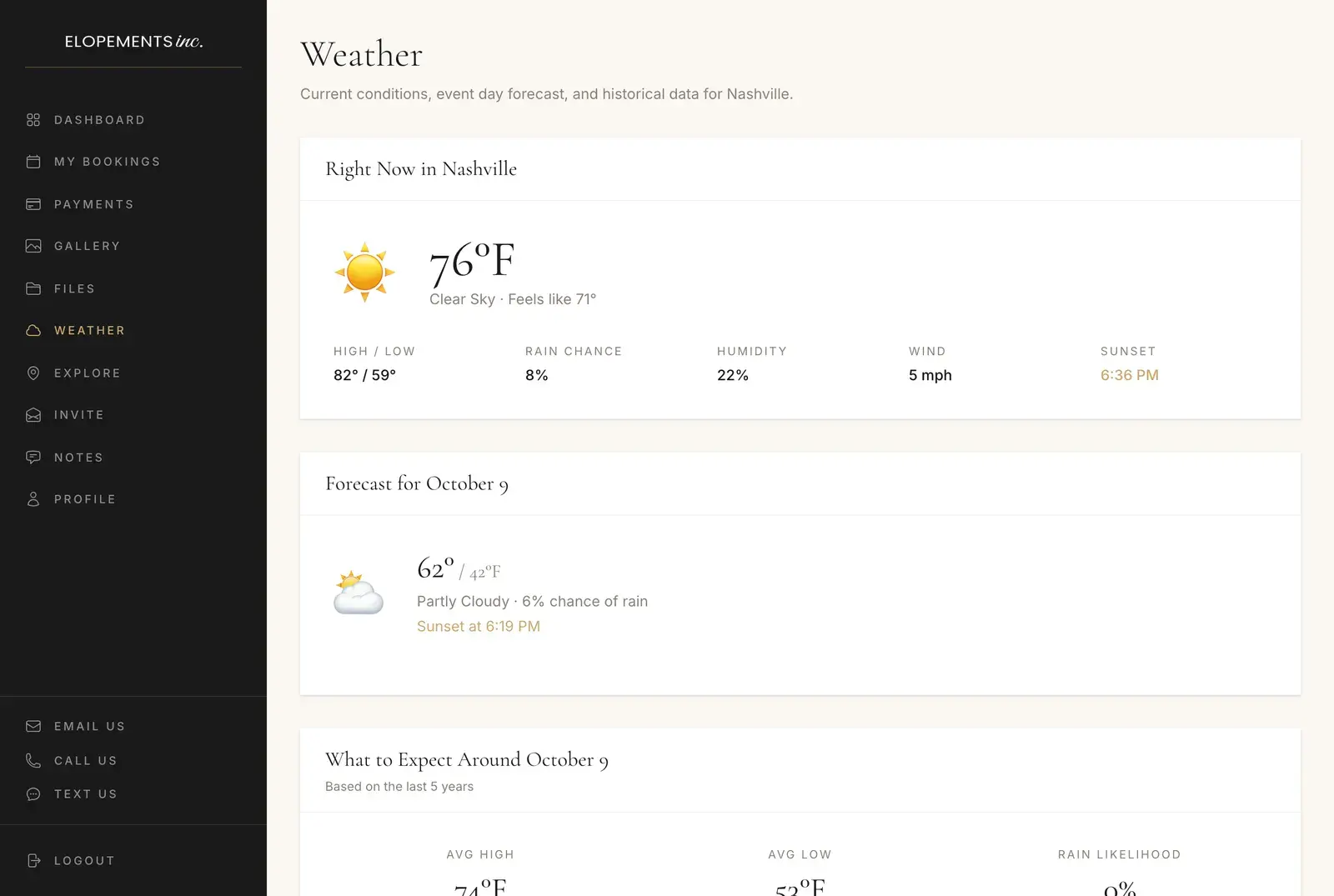
06 Weather
Your venue's weather, then your date's
Right now at your venue: the temperature and what it feels like, the high and low, the chance of rain, humidity, wind and sunset. From about two weeks out, the forecast for your date. Until then, what the last five years brought on it — the average high and low, how often it rained, and each year on its own line.
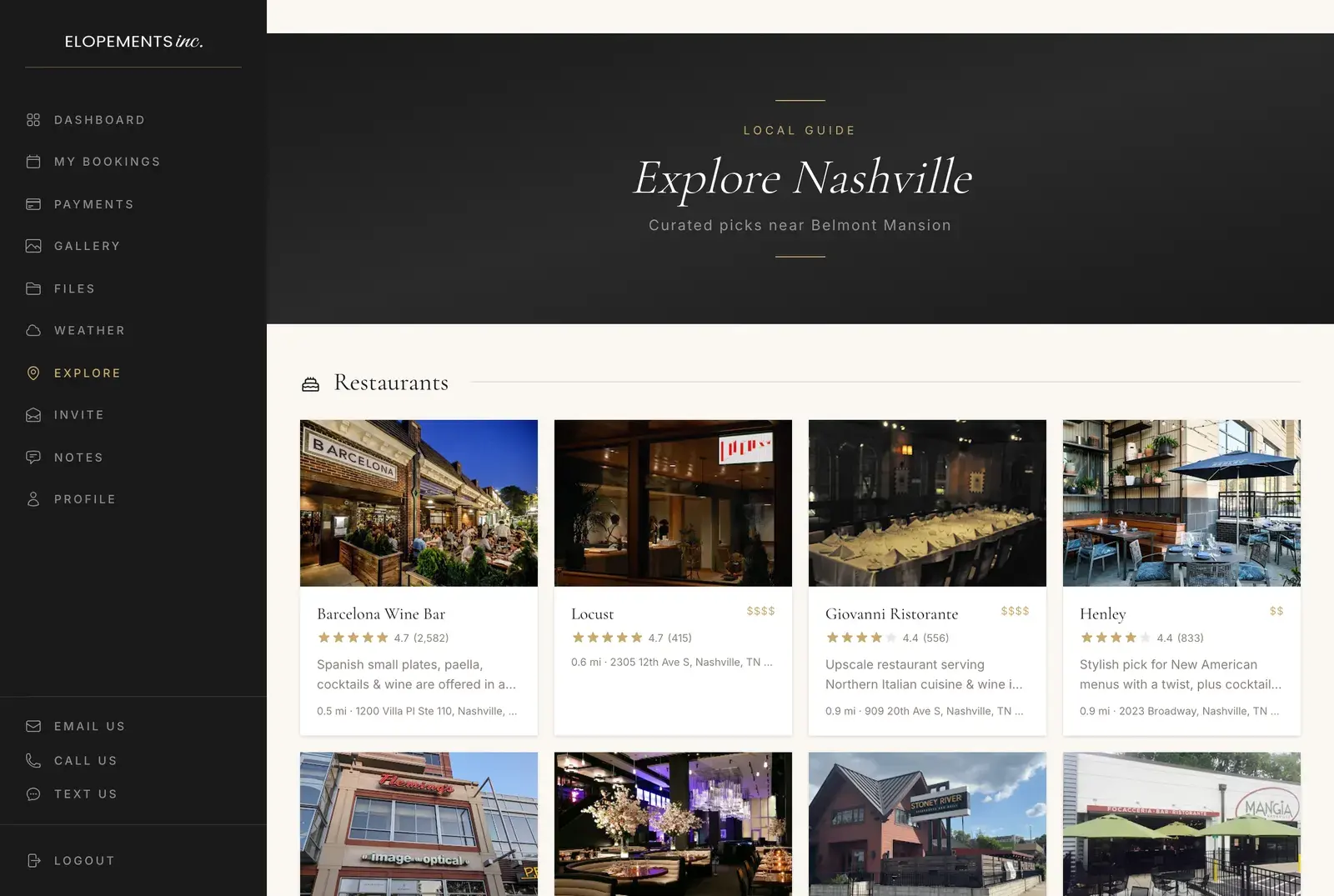
07 Explore
A local guide around your venue
Restaurants, places to stay, hair and makeup, florists, nightlife that's open past 10, transportation and things to do — up to eight of each within about 30 miles. Every one is rated four stars or better with the reviews to back it up, and there's no fast food and no chains. Tap any of them to open it in Google Maps.
08 Invite
A page to send your guests
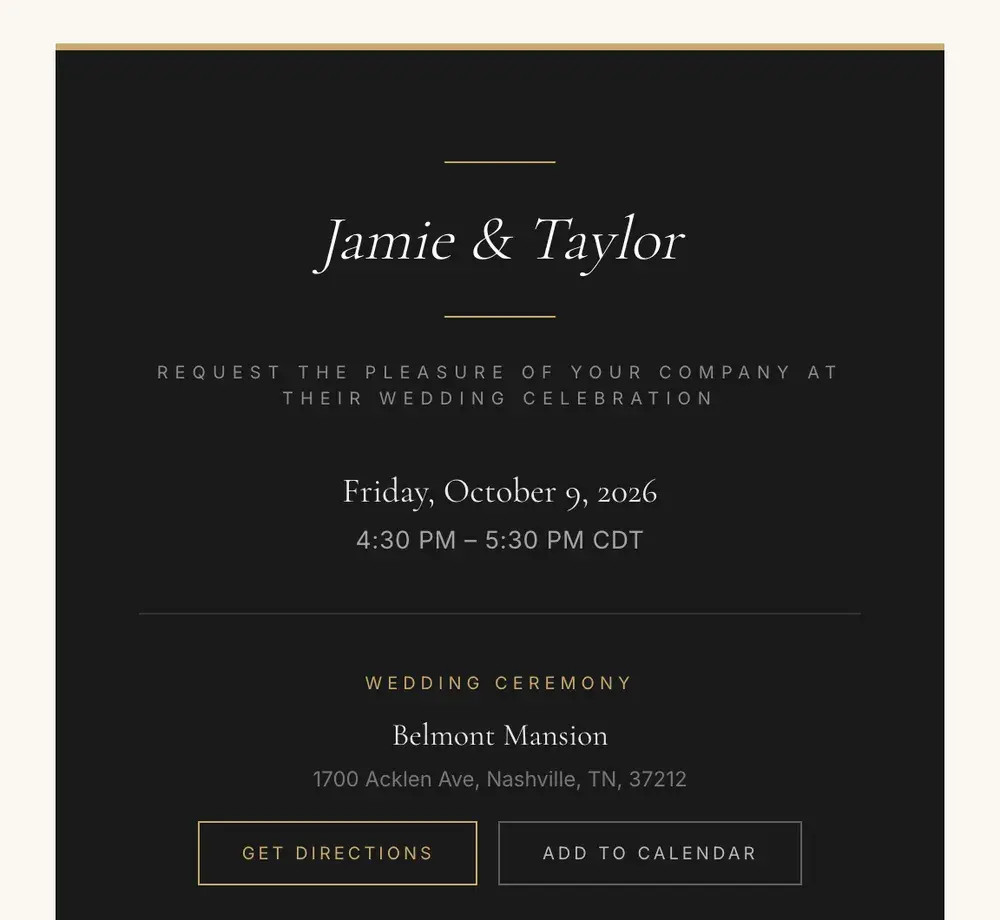
A wedding-invitation page with your names, the date and time, the venue and its address, plus directions and an add-to-calendar button. Copy the link or send it by text or email. Guests don't need an account to open it.
09 Notes
Notes from your team
Messages and notes from us, including the details for your planning call. It's the first place to look before you talk to Brandon.
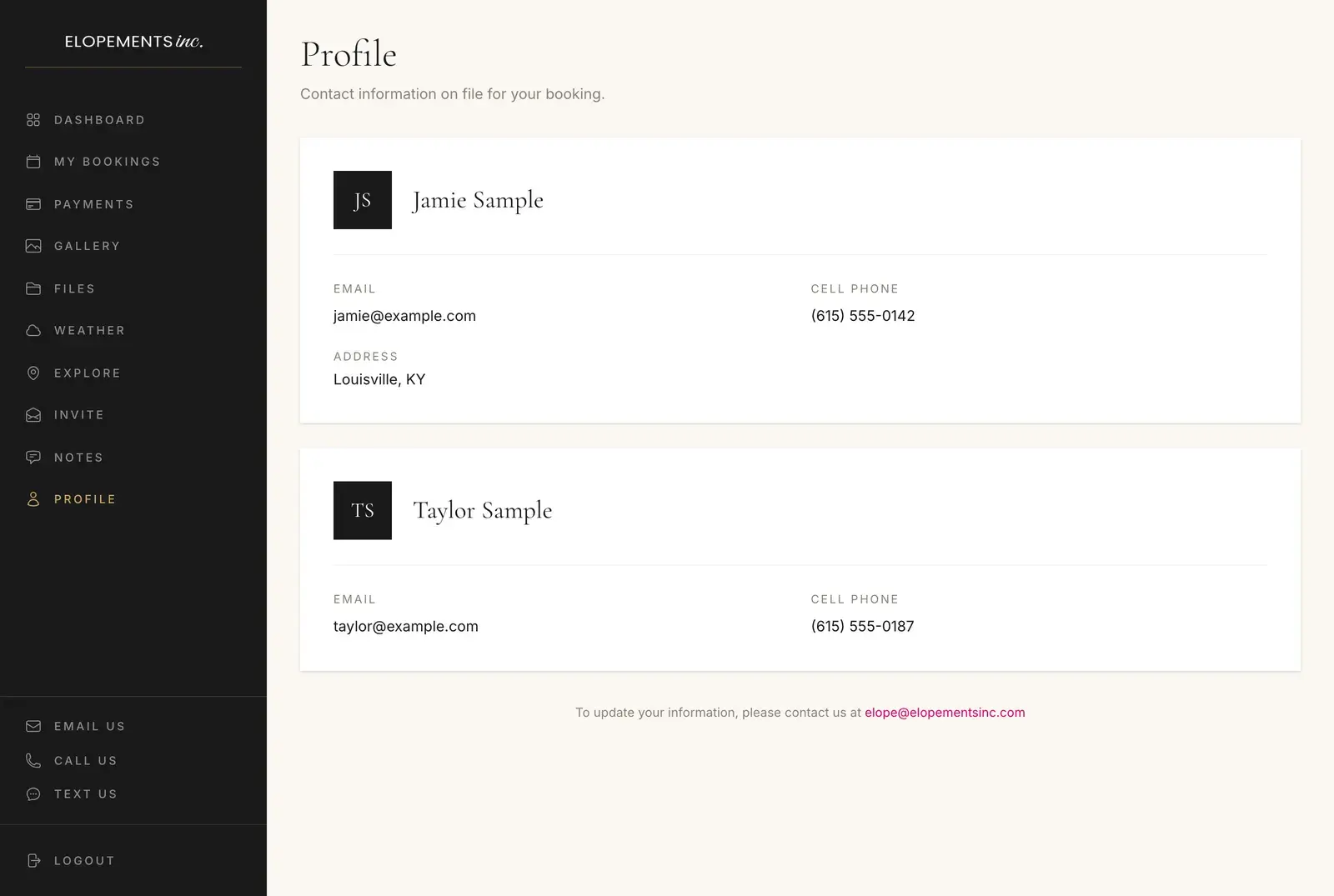
10 Profile
The details we have for you
The contact information on file for both of you. If something has changed, email us and we'll update it.
The call, signing in, payments, weather, photos and your guests.
When is the planning call, and who is it with?
We email you within 24 to 48 hours of booking; reply to that email to schedule the call. It's with Rev. Brandon Rich, our Chief Executive Officer, who has officiated more than 8,000 ceremonies. The Notes section of your planning portal has the details for your call.
What do we cover on the planning call?
The structure of your ceremony and where your own vows fit, how the day runs before and after it, when to apply for your marriage license and whether a premarital course lowers the fee, the two add-ons we offer (videography and RAW files), and any rules your venue sets about music, decorations or structures.
How do we sign in to the planning portal?
Choose Create an account on the login page at elopementsinc.com/portal/login and use the email address on your booking, then confirm it from the email that follows. Forgot your password? The same page links to a reset.
Can we pay our balance through the portal?
The Payments section lists every invoice with its status, balance and due date. For any order with money still owing, Pay Now opens the secure payment page for that order.
When does the forecast for our date show up in the portal?
About two weeks before — the forecast appears from 16 days out. Until then, the Weather section shows current conditions at your venue and the last five years on your date: the average high and low, how often it rained, and each year on its own.
Where do our photos and video show up?
In the Gallery section, once Michelle Blair has edited them. A button opens your online gallery to view, download and order prints, and you can send the link to family by text or email. Your video comes as a download page with every file in one ZIP.
Can our guests see the details of the day?
Yes. The Invite section gives you a link to a wedding-invitation page with your names, the date and time, the venue's address, directions and an add-to-calendar button. Guests don't need to sign in to see it.